Select & adjust
Move, rotate, delete, and copy supported text and vector pieces. Select a leader and arrowhead together, then put them where they belong.
 FIBERATLASTry FiberAtlas
 FIBERATLAS PDF EDITOR · WINDOWS DESKTOP
A free PDF editor trial for the small corrections that keep work moving. Move a leader. Fix a note. Add an arrow, text box, or revision cloud. A simple, separate Windows app for everyday QA/QC.
No card · No automatic charge · Files stay on your computer
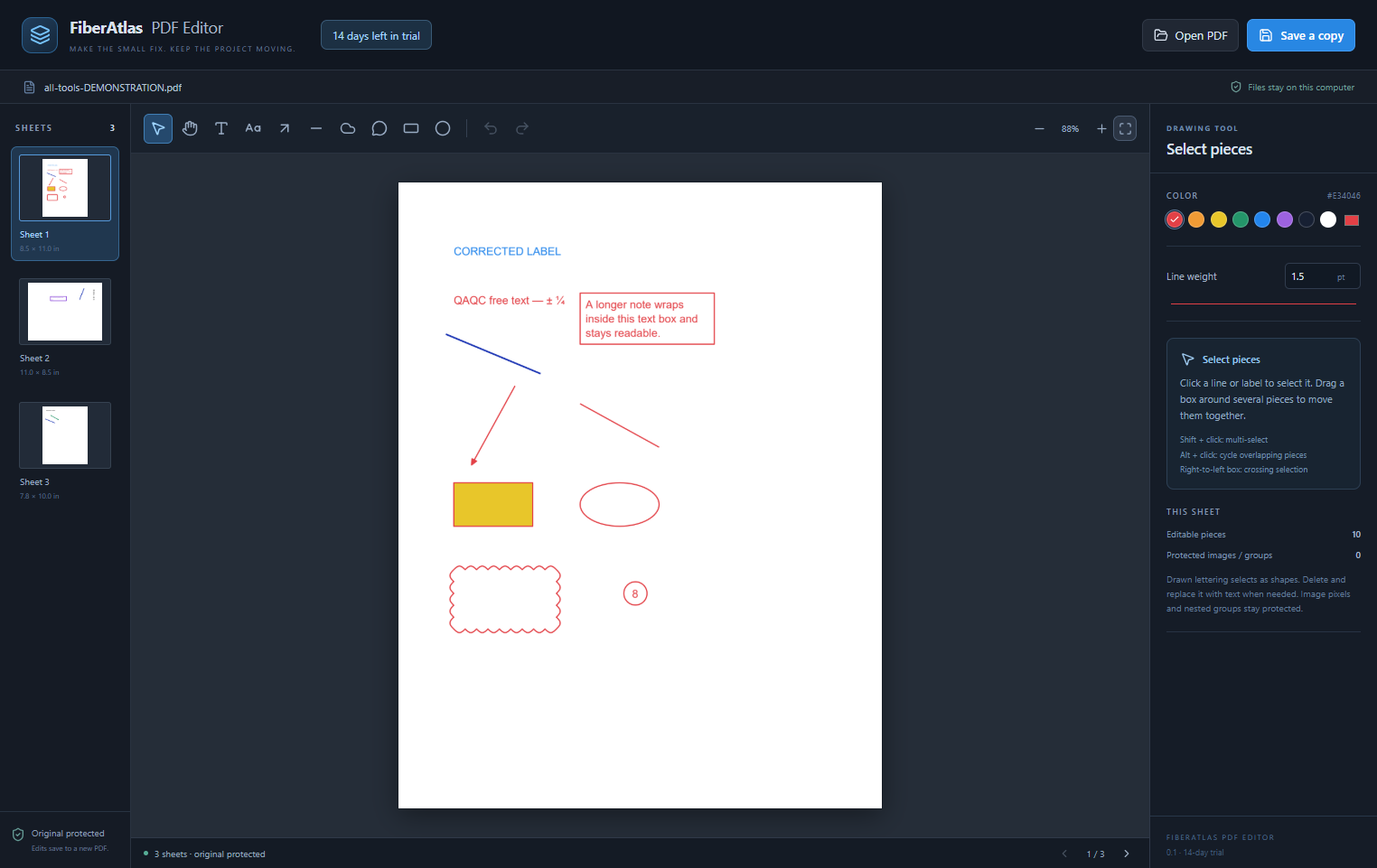
Move, rotate, delete, and copy supported text and vector pieces. Select a leader and arrowhead together, then put them where they belong.
Add free text, text boxes, arrows, lines, numbered bubbles, and revision clouds. Choose colors, fills, line weights, and text sizes.
Undo and redo while you work. Save a corrected PDF copy, then reopen it to continue editing your added notes and callouts.
Ctrl+C / Ctrl+V copy and paste, including between sheets. Ctrl+Z undoes. Ctrl+Y redoes. Hold Space to pan; Ctrl + mouse wheel zooms.
Your editing trial starts on first launch. After 14 days, new edits stop. You can still open PDFs and save a copy of work already in progress. Downloading or reinstalling normally does not restart the trial.
This is an early public beta. Paid access is not available yet. The free trial requires no card and never turns into an automatic charge. It has its own trial, separate from the main FiberAtlas app.
Selectable text and vector pieces can be edited when the PDF structure supports it. Scanned lettering is image pixels; nested drawing groups and images remain protected. Drawn CAD lettering may select as individual shapes, so replacement text can be easier than reshaping it.
PDF corrections do not update the DWG or recalculate dimensions. Original comments may retain earlier text or positions. These are visible correction tools, not secure redaction. Save often: unsaved edits and undo history are held only for the current session.
The editor preserves unchanged drawing instructions when it can match them safely. For unusual PDFs it uses standard PDF export and tells you to review the saved result.
The original editor passed 54 engine, edge-case, and desktop checks. In the tested seven-sheet AutoCAD PDF, moving a leader and arrowhead left every pixel outside the correction unchanged, including all six untouched sheets. Results describe that test document; PDF structure varies.
This Trial adds tests for the 14-day boundary, clock rollback, protected storage, and separate application records. Windows Setup and Portable downloads are signed and timestamped. Supported testing platform: Windows 11, local PDF files.
FiberAtlas-PDF-Editor-Setup-0.1.0-beta.1-x64.exeSHA-256: 2804A6D6F91A4778DE434155EEA96AA715D79EEECF8E1E1F7C2DA670803EAA48FiberAtlas-PDF-Editor-Portable-0.1.0-beta.1-x64.exeSHA-256: 000B55C8D6D3E2DAB8966BCE2BE3B2BF936902B8B67CF99CE329AEE9D8EF8686Version 0.1.0-beta.1. Current certificate signer: John Philipe Kemmler. The separate PDF engine is included; no Python installation is needed.
A line that will not select, a note that shifts, or a step that takes too many clicks—your feedback helps shape this editor.